13 Jul
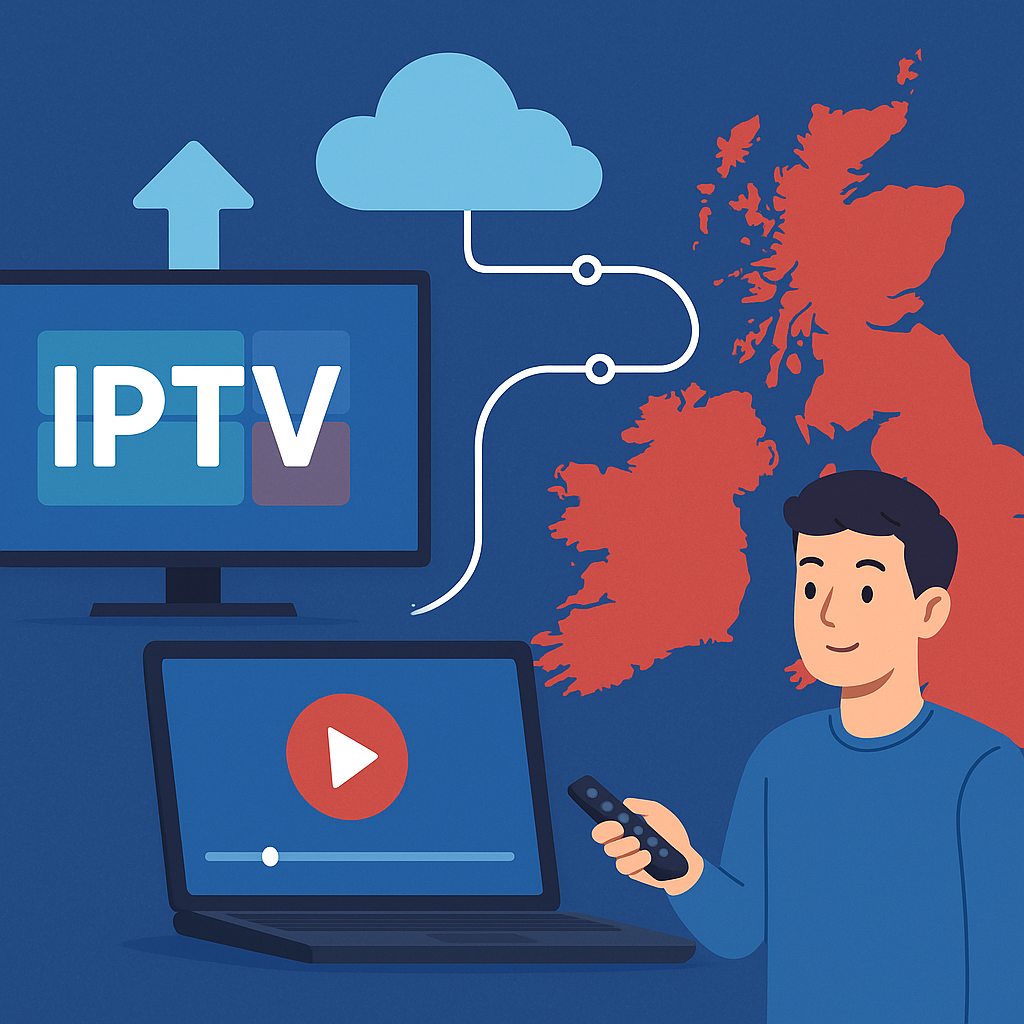
What is IPTV? In simple terms, IPTV is television delivered through your internet connection rather than a traditional aerial, satellite dish or cable line. With Tiviprimes, UK viewers can enjoy a more flexible way to watch telly across popular devices, without needing to be a technical expert.
If you have ever watched BBC iPlayer, ITVX, Netflix, YouTube, Sky Go or Prime Video, you already understand the basic idea. IPTV uses the same internet-based approach, but it can bring together live channels, films, series, catch-up and on-demand entertainment in one convenient viewing experience.
The good news is that IPTV is not as complicated as it sounds. You do not need to understand servers, codecs or networking. In most cases, you simply need a decent broadband connection, a compatible device, an app, and a reliable provider.
This UK beginner guide explains what IPTV is, how IPTV works, what you need at home, which devices are suitable, how it compares with Freeview and Sky, and what to look for before choosing a service in 2026.
By the end, you should feel confident about whether IPTV is right for your household, especially if you are looking for more choice, easier viewing, and a modern alternative to traditional TV packages.
What Is IPTV in Plain English?
IPTV stands for Internet Protocol Television. That sounds a bit technical, but the meaning is refreshingly simple: TV is sent to you over the internet. Instead of receiving channels through a rooftop aerial, a satellite dish or a coaxial cable, your programmes arrive through your home broadband.
Think of IPTV like streaming, but with a TV-style layout. You can often browse live channels, open a programme guide, choose on-demand content, or watch catch-up depending on the service and app you use. For a lot of viewers, it feels familiar because the menu looks similar to a modern smart TV app or Sky-style guide.
Traditional television sends the same signal out to lots of homes at the same time. IPTV is more personalised. When you choose a channel or programme, your device requests that stream and displays it on your screen. This is why IPTV can feel more flexible than older TV systems.
If you would like a shorter overview alongside this full guide, our simple UK IPTV beginner guide is a useful companion to bookmark.
- IPTV uses your internet connection.
- It can show live TV and on-demand content.
- It works on many everyday UK devices.
- It does not usually need a dish or aerial.
- It depends on broadband quality.
- It is designed for flexible viewing.
How Does IPTV Work?
IPTV works by sending television content as data across the internet. When you select something to watch, your device contacts the provider’s system, receives the stream, and plays it through an app or media player. This all happens quickly in the background, so the experience feels as simple as pressing play.
There are three parts involved in most IPTV viewing. First, there is the content source, such as a live channel or on-demand library. Second, there is the delivery system that prepares and sends the stream. Third, there is your device at home, which receives and displays it.
You do not need to manually manage any of this. In most cases, you open an IPTV app, sign in or add your details, choose a channel, and start watching. Your broadband router, device and app handle the technical work for you.
- You choose something to watch. This might be a live channel, sports event, film or series.
- Your app sends a request. The app asks the service for the selected stream.
- The stream is delivered online. Data travels through your broadband connection to your home.
- Your device plays the stream. Your smart TV, Fire TV Stick, Android box, phone or tablet turns the data into picture and sound.
- The app adjusts where possible. Some services and players adapt quality depending on your connection.
This is also why a stable internet connection matters. If your Wi-Fi drops, your stream may pause, buffer or reduce in quality. If your broadband is steady, IPTV can feel smooth and natural.
What You Need for IPTV in the UK
Getting started with IPTV in the UK is usually straightforward. You do not normally need an engineer visit, drilling, a dish, or a new aerial. For many households, the essentials are already in place.
Before you subscribe to any service, it is worth checking your setup. A few small improvements can make a big difference to picture quality and reliability, especially if you watch sports, films or live events in the evening when everyone is online.
- A reliable UK broadband connection.
- A compatible device such as a smart TV or Fire TV Stick.
- An IPTV app or media player.
- Your login details or playlist information.
- A stable Wi-Fi signal or Ethernet cable.
- A TV, monitor, tablet or phone screen.
Most UK homes with fibre broadband from BT, Sky, Virgin Media, TalkTalk, Vodafone, Plusnet or EE should be able to use IPTV. The important point is not just the advertised speed, but the real speed and stability you get in the room where you watch telly.
For extra background on the basics, you can compare this section with our beginner-friendly explanation of IPTV in the UK, which keeps the concept very simple.
Broadband Speeds for IPTV in 2026
Broadband speed is one of the biggest factors in IPTV performance. You do not always need the fastest package on the market, but you do need enough speed for the picture quality you want, plus enough spare capacity for other people using the internet at the same time.
For example, if one person is watching IPTV in the lounge while someone else is gaming upstairs and another person is on a video call, your connection has to cope with all of that together. This is where households sometimes run into buffering, even when their package sounds fast on paper.
- Standard definition: around 5 Mbps is usually enough.
- HD viewing: around 10 Mbps is a sensible minimum.
- Full HD: around 15 to 25 Mbps is more comfortable.
- 4K content: around 25 to 50 Mbps is recommended.
- Busy households: more speed gives you breathing room.
Latency and Wi-Fi strength matter too. A 100 Mbps package can still struggle if the Fire TV Stick is tucked behind a television far from the router. Likewise, a cheaper connection may work perfectly well if the device is close to the router or connected by Ethernet.
If you regularly watch Premier League matches, boxing, Formula 1, films or live events, aim for a connection that feels comfortably above the minimum. Live sport is less forgiving than catch-up TV because viewers notice stutters and delays more quickly.
IPTV Devices: What Can You Watch On?
One of the reasons IPTV has become popular is device flexibility. A lot of viewers do not want to be tied to one set-top box in one room. IPTV can often work on smart TVs, streaming sticks, Android boxes, phones, tablets and computers, depending on the service and app.
In UK homes, Amazon Fire TV Stick devices are especially popular because they are affordable, widely available and easy to plug into an HDMI port. Smart TVs from Samsung, LG, Sony, Hisense and Philips are also common choices, although app availability can vary by model.
- Amazon Fire TV Stick and Fire TV Cube.
- Android TV boxes and Google TV devices.
- Samsung and LG smart TVs.
- Android phones and tablets.
- iPhone and iPad devices.
- Windows laptops and Mac computers.
- Some MAG-style boxes and media players.
The best device is usually the one that feels easiest for your household. If you are setting it up for parents, grandparents or children, choose a device with a simple remote and a clear home screen. A complicated setup may work well technically, but it will not be enjoyable if nobody can find the channels.
IPTV vs Freeview, Sky and Cable
Many UK viewers ask how IPTV compares with Freeview, Sky and cable TV. The honest answer is that each option has strengths. The best choice depends on what you watch, how much flexibility you want, your budget, and whether you prefer traditional channel surfing or app-based viewing.
Freeview is familiar and free after equipment costs, but it depends on aerial coverage and has a more limited channel range. Sky and cable packages can offer premium channels, sport and recording features, but they are often tied to contracts and equipment. IPTV focuses on internet delivery, device flexibility and convenience.
- Freeview: simple, familiar, aerial-based, limited by signal.
- Sky: polished experience, strong sports options, often higher monthly cost.
- Cable: reliable where available, usually tied to a provider bundle.
- IPTV: flexible, internet-based, device-friendly, depends on broadband.
- Streaming apps: great for on-demand, but content is split across subscriptions.
For many homes, IPTV is not necessarily about replacing everything overnight. Some viewers keep Freeview for BBC, ITV, Channel 4 and Channel 5, then use IPTV for extra flexibility. Others move more fully to internet-based viewing once they are comfortable with it.
If you are still deciding between different TV routes, our UK guide to what IPTV means can help you clarify the basics before comparing services.
Types of IPTV Content You May See
IPTV is not just one thing. Different services organise content in different ways, but most IPTV experiences fall into a few broad categories. Understanding these categories helps you know what to expect when you open an app.
Live TV is the most familiar category. It feels like normal telly, with channels running on a schedule. Video on demand is more like Netflix, where you choose a film, box set or episode whenever you fancy it. Catch-up lets you watch recently aired programmes, where available.
- Live TV: channels playing in real time.
- Video on demand: films, shows and series you choose yourself.
- Catch-up TV: recent programmes available after broadcast.
- Time-shifted TV: pause, restart or replay features where supported.
- Electronic programme guide: a TV guide showing what is on.
Not every provider offers every feature, and availability can vary. That is why it is sensible to check what is included before signing up. If your household mainly watches live sport, your priorities will differ from someone who wants family films and documentaries.
Is IPTV Legal in the UK?
IPTV technology itself is legal. BBC iPlayer, ITVX, Channel 4, Netflix, NOW and many other familiar services use internet-based streaming. The legal issue is not the technology; it is whether the provider has the right to show the content it offers.
As a viewer, you should choose services carefully and avoid anything that looks suspicious. Very cheap deals promising every premium channel, every pay-per-view event and every film in the world can be a warning sign. The good news is that there are sensible ways to protect yourself.
- Check whether the provider looks professional and transparent.
- Avoid unrealistic claims and pressure-selling.
- Look for clear support and setup information.
- Use secure payment methods where possible.
- Be wary of random social media sellers.
- Do not share personal details with unknown sources.
UK viewers should also remember TV Licensing rules. If you watch or record live TV on any channel or service, or use BBC iPlayer, you may need a valid TV Licence. This applies whether you watch through an aerial, satellite, cable or internet connection.
In short, IPTV is simply a delivery method. What matters is the source, the rights, and how the service is operated.
How to Set Up IPTV at Home
Setting up IPTV can be quick, especially if you already use streaming apps. The exact steps vary depending on your device and provider, but the general process is similar. If you can install an app and enter login details, you can usually manage IPTV.
Before you begin, make sure your device is connected to the internet and updated. It is also worth having your provider details ready, such as username, password, portal address, playlist link or activation code, depending on the app being used.
- Choose your main viewing device. Decide whether you will use a smart TV, Fire TV Stick, Android box, phone, tablet or laptop.
- Connect to your broadband. Use strong Wi-Fi or, for best stability, an Ethernet cable where available.
- Install the recommended app. Follow your provider’s instructions for the app or player they support.
- Enter your details carefully. Type logins, playlist links or server details exactly as provided.
- Load the channels or library. Allow the app a little time to update the guide and categories.
- Test live and on-demand content. Try a few channels at different times of day.
- Adjust settings if needed. Change player options, buffer size, time zone or EPG settings if your app supports them.
If something does not work straight away, do not panic. In most cases, the issue is a mistyped login, weak Wi-Fi, an outdated app, or a device needing a restart.
Picture Quality, Buffering and Reliability
Picture quality depends on several things working together: the original stream quality, your broadband speed, your Wi-Fi strength, your device performance and the app you use. When all of these are in good shape, IPTV can look crisp and smooth.
Buffering is the most common frustration. It happens when your device is not receiving data quickly or steadily enough. This may be caused by slow broadband, Wi-Fi interference, a busy home network, an overloaded device, or problems outside your home.
- Restart your router and streaming device.
- Move your device closer to the router.
- Use Ethernet instead of Wi-Fi if possible.
- Close unused apps running in the background.
- Check whether other devices are downloading large files.
- Test your speed in the same room as the TV.
Even small improvements help. Moving a router from behind a cupboard, upgrading an old streaming stick, or using a 5 GHz Wi-Fi network can make viewing noticeably smoother. A lot of viewers blame the IPTV service first, but the home network is often the real culprit.
For a refresher on the fundamentals behind streaming TV, you may find this plain-English IPTV introduction helpful before troubleshooting.
Choosing an IPTV Service in the UK
Choosing an IPTV service should not be rushed. The right provider can make IPTV feel easy and enjoyable, whilst the wrong one can leave you confused, unsupported and disappointed. Look beyond the channel list and think about the overall experience.
Everyday viewers usually need three things: clear setup instructions, stable viewing, and helpful support. A huge list of channels is not much use if the app is awkward, the guide is messy, or nobody replies when you need help.
- Clear UK-friendly setup guidance.
- Support for your preferred device.
- Stable performance during peak times.
- A simple channel guide or categories.
- Responsive customer support.
- Fair, transparent subscription options.
- Helpful advice for beginners.
Tiviprimes is designed for viewers who want a premium IPTV experience without unnecessary jargon. Whether you are used to Freeview, Sky, streaming apps or a mix of everything, the aim is to make internet TV feel approachable and practical.
Common Mistakes to Avoid
IPTV is easy once it is set up properly, but a few common mistakes can cause unnecessary hassle. The good news is that most of them are simple to avoid with a little preparation.
- Choosing on price alone: the cheapest option is not always the best experience.
- Ignoring broadband quality: fast adverts do not guarantee stable Wi-Fi in your lounge.
- Using an old device: outdated sticks and boxes may struggle with modern streams.
- Typing details incorrectly: one wrong character can stop an app from loading.
- Forgetting TV Licence rules: live TV and BBC iPlayer have UK licensing requirements.
- Not testing at peak times: evening performance matters if that is when you watch.
- Skipping support checks: helpful guidance is valuable for beginners.
Another mistake is expecting IPTV to behave exactly like traditional satellite TV. It is internet-based, so it has different strengths and different weak points. Once you understand that, it becomes much easier to get the best from it.
Who Is IPTV Best For?
IPTV can suit many types of UK households. It is especially appealing if you want more flexibility than a standard aerial setup, or if you enjoy watching across multiple devices. It may also appeal if you are trying to simplify your entertainment options.
That said, IPTV is not automatically perfect for everyone. If your broadband is very poor, or you dislike using apps, you may need to improve your setup first. In most cases, however, a modern fibre connection and a simple streaming device are enough to get started.
- Families who watch different things in different rooms.
- Sports fans who value live channel access.
- Viewers moving away from long TV contracts.
- People in homes with poor aerial reception.
- Anyone comfortable using streaming apps.
- Households wanting TV on phones, tablets or sticks.
If you are completely new to the idea, you can start with a basic explanation such as our UK beginner IPTV overview and then decide what features matter most to you.
IPTV Myths UK Viewers Often Hear
Because IPTV has become popular quickly, there is a lot of confusion around it. Some people describe it as if it is mysterious or risky, whilst others oversell it as a magic replacement for every TV service. The truth is more balanced.
IPTV is simply a way of delivering television over the internet. It can be excellent when the provider, broadband and device are right. It can also be frustrating if you use poor Wi-Fi, an unsupported app or an unreliable seller.
- Myth: IPTV is only for technical people. Reality: many beginners use it comfortably.
- Myth: IPTV always buffers. Reality: stable broadband and good devices help enormously.
- Myth: You need expensive equipment. Reality: many viewers use affordable streaming sticks.
- Myth: IPTV and streaming apps are totally different. Reality: they use similar internet delivery ideas.
- Myth: All IPTV services are the same. Reality: support, stability and usability vary a lot.
Once you separate the myths from the facts, IPTV becomes much easier to understand. It is not magic; it is modern internet television.
Practical Tips for a Better IPTV Experience
A few practical habits can make IPTV feel smoother day to day. You do not need to become a network engineer. Just treat IPTV like any other streaming service and give it a stable environment to work in.
Start by positioning your router sensibly. Keep it out in the open, away from thick walls, microwaves and large metal objects. If your telly is far away, consider a Wi-Fi mesh system or a wired Ethernet connection.
- Restart your device once in a while.
- Keep apps and device software updated.
- Use a modern streaming stick or smart TV.
- Check speed near the viewing device.
- Prefer Ethernet for main living-room viewing.
- Clear app cache if your device feels sluggish.
- Ask support before changing advanced settings.
It is also sensible to test your setup before an important match or film night. Do not wait until kick-off in a Premier League fixture to discover your Wi-Fi is struggling. Open the app early, check the channel, and make any adjustments before everyone sits down.
The Future of IPTV in 2026 and Beyond
By 2026, UK viewing habits have clearly shifted towards internet-based entertainment. Many households still use Freeview or Sky, but more people are mixing traditional channels with streaming apps, catch-up services and IPTV options.
This trend is likely to continue. Faster fibre broadband, better Wi-Fi routers, more powerful smart TVs and affordable streaming devices all make internet television easier. Viewers increasingly expect to watch what they want, where they want, without being tied to one box in one room.
Broadcasters are moving in the same direction. BBC iPlayer, ITVX, Channel 4, My5, NOW and other apps show how normal internet TV has become. IPTV fits into that wider change by offering a TV-style experience through an internet connection.
For beginners, this is encouraging. You are not stepping into a strange niche world; you are joining the broader movement towards flexible, app-based viewing. The main task is choosing a reliable service and setting up your home connection properly.
FAQ
What is IPTV and how does it work?
IPTV is television delivered through the internet. When you choose a channel or programme, your device requests the stream from the provider and plays it through an app. It works much like other streaming services, but often with a live TV guide and channel-style layout.
Do I need a TV aerial or satellite dish for IPTV?
In most cases, no. IPTV uses your broadband connection rather than a rooftop aerial or satellite dish. You usually need a compatible device, an IPTV app, login details and a stable internet connection. Some viewers still keep Freeview or satellite as a backup, but it is not normally required for IPTV itself.
What broadband speed do I need for IPTV in the UK?
For HD IPTV, around 10 to 25 Mbps is a sensible starting point, while 4K viewing may need 25 to 50 Mbps or more. Busy households should allow extra speed for gaming, phones, laptops and other streaming apps. Stability is just as important as headline speed.
Can I watch IPTV on a Fire TV Stick?
Yes, many UK viewers use an Amazon Fire TV Stick for IPTV because it is affordable, compact and easy to connect to a television. You will need a suitable IPTV app and the correct setup details from your provider. A newer Fire TV Stick model usually gives a better experience than an older one.
Is IPTV suitable for beginners?
Yes, IPTV can be suitable for beginners, especially with clear instructions and helpful support. If you can use BBC iPlayer, ITVX or Netflix, you can usually learn IPTV without much difficulty. For extra reassurance, our straightforward IPTV beginner guide for UK viewers explains the basics in an easy way.
Final Thoughts
IPTV is simply a modern way to watch telly through your internet connection. It can bring live channels, on-demand entertainment and flexible device viewing into one convenient setup, without needing a dish or complicated equipment. The key is to use stable broadband, choose a suitable device, understand the legal basics, and pick a provider that offers clear guidance. If you are ready to explore IPTV with calm, friendly support, Tiviprimes is here to help you enjoy a premium UK viewing experience at your own pace.