02 Sep
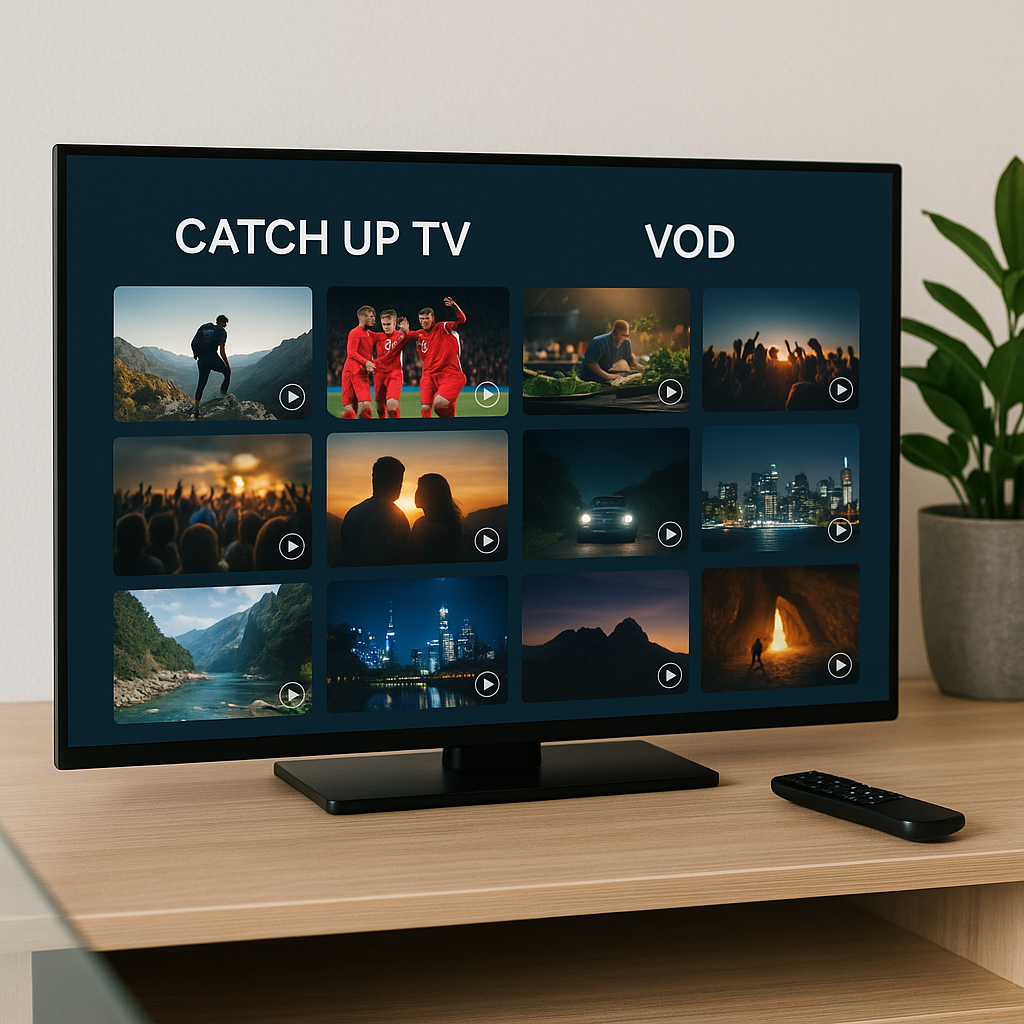
Catch Up TV and VOD are two of the most useful features in modern telly, especially if you are tired of planning your evening around a fixed TV schedule. With a premium IPTV service such as Tiviprimes, these features can make everyday viewing feel far more flexible, relaxed and convenient.
A lot of viewers in the UK now mix live channels, BBC iPlayer, ITVX, Netflix-style apps, Freeview Play and IPTV in the same home. The good news is that Catch Up TV and VOD are not difficult once you understand the difference between them.
Catch Up TV is mainly about watching programmes that were shown recently on live channels. VOD, which stands for Video on Demand, is more like choosing a film, series, documentary or box set from a library whenever you fancy it.
If you have ever missed Match of the Day, a soap episode, a Saturday night entertainment show, a film premiere or a news programme, this guide will help you understand what to press, what to expect, and how to avoid common problems.
Below, we will walk through what Catch Up TV and VOD mean, how they work on IPTV apps, which UK devices are easiest to use, and how to get smooth playback on your home broadband without needing to be a technical expert.
What Are Catch Up TV and VOD?
Catch Up TV and VOD are both ways of watching programmes when it suits you, rather than only when they are broadcast live. They are often mentioned together because they both give you more control over your viewing, but they are not exactly the same thing.
Think of live TV as the traditional TV guide: programmes appear at set times, just like BBC One at 9pm, ITV at 8pm, or Sky Sports at kick-off. Catch Up TV lets you go back to something that has already aired recently. VOD lets you browse a library and choose something directly, even if it was not on a live channel that day.
In most cases, UK viewers use these features for simple, everyday reasons:
- You missed a programme while out shopping or commuting.
- The family wanted to watch something else at the same time.
- You forgot to record a programme or no longer use a recorder.
- You want a film or series ready without searching multiple apps.
- You prefer watching at your own pace, especially at weekends.
If you are new to IPTV itself, it may help to read this plain-English explanation of what IPTV means for UK viewers. Once the basics make sense, Catch Up TV and VOD feel much more familiar.
Catch Up TV Explained for UK Viewers
Catch Up TV means watching a programme after it has already been shown on a live channel. The idea is similar to using BBC iPlayer, ITVX, Channel 4 or My5 to catch a recent broadcast, but within an IPTV app the feature may appear directly beside the channel list or TV guide.
For example, if a drama aired last night at 9pm, a channel with Catch Up support may allow you to scroll back to that time and play the programme. Instead of searching through a separate app, you use the channel’s past schedule.
Catch Up availability depends on the channel and the service. Some channels may offer several days of catch-up, whilst others may offer none. It is common to see windows such as 24 hours, 3 days, 7 days or sometimes longer, depending on the provider and content rights.
Common Catch Up TV uses include:
- Watching last night’s soaps after work.
- Replaying a missed Premier League discussion show.
- Catching a news bulletin or political programme.
- Watching a film that aired on a movie channel yesterday.
- Letting children watch a missed cartoon episode.
- Going back to a documentary shown earlier in the week.
On many IPTV apps, Catch Up TV is closely linked to the EPG, or electronic programme guide. If your guide is accurate, it is much easier to find the correct programme by date and time. If your guide is wrong, catch-up can feel confusing. For that reason, this guide to a working TV guide EPG on IPTV apps is worth keeping handy.
VOD Explained: Films, Series and Box Sets on Demand
VOD stands for Video on Demand. Instead of scrolling through yesterday’s TV schedule, you choose from a library of available content. This could include films, drama series, comedy shows, documentaries, children’s programmes, international content and box sets.
VOD feels more like browsing a streaming app. You pick a title, press play, pause when needed, and return later if your app remembers your place. In most cases, the VOD section is separate from live channels and Catch Up TV.
A typical VOD area may be organised into categories such as:
- Latest films
- UK TV series
- US TV series
- Family and kids
- Documentaries
- Sport replays
- International films and shows
The main advantage of VOD is choice. You do not need to know when something was broadcast. You simply search, browse or filter until you find what you want. This is especially helpful if you are settling down on a Friday night and the family cannot agree on live telly.
VOD quality can vary depending on the source, the app, your device and your broadband connection. A good VOD library should feel simple to browse, have clear artwork where available, include sensible categories, and start playing without endless loading.
Catch Up TV vs VOD: What Is the Difference?
Catch Up TV and VOD can look similar because both let you press play whenever you want. The difference is where the programme comes from and how you find it.
Catch Up TV follows the live TV schedule. VOD follows a content library. Catch Up TV is usually time-based, whilst VOD is title-based.
Here is a simple comparison:
- Catch Up TV: best for programmes recently shown on live channels.
- VOD: best for choosing films, series and box sets from a library.
- Catch Up TV: usually organised by channel, date and time.
- VOD: usually organised by title, genre and category.
- Catch Up TV: may expire after a few days.
- VOD: may remain available for longer, depending on the service.
Imagine you missed a live broadcast of a Monday night drama. Catch Up TV is likely the quickest way to find it if that channel supports catch-up. But if you want to watch series one from the beginning, or choose a film without caring when it aired, VOD is usually the better option.
There is no need to choose one forever. A lot of viewers use both. Catch Up TV is brilliant for everyday missed programmes, whilst VOD is ideal for relaxed viewing when you are not following the TV schedule.
Why Catch Up TV and VOD Matter in UK Homes
UK viewing habits have changed quickly. Many households still enjoy live television for news, sport, Saturday night entertainment and big national moments, but fewer people want to be locked to one schedule all week.
Families are busy. People work shifts, commute, take children to clubs, go to the gym, visit relatives and often watch telly in different rooms. Catch Up TV and VOD make television fit around real life rather than the other way round.
They are especially useful when:
- You share the main telly with children or housemates.
- You follow programmes across BBC, ITV, Channel 4 and Sky-style channels.
- You want to avoid recording boxes and complicated menus.
- You watch on a Firestick, Android TV box, Smart TV or tablet.
- You prefer one organised viewing setup instead of juggling too many apps.
There is also the convenience factor. Traditional broadcast, satellite and cable still suit many people, but streaming has made flexible viewing feel normal. If you are comparing different ways to watch, this UK guide to streaming, satellite and cable explains the bigger picture in a helpful way.
For sport, the picture is slightly different. Live sport is still best watched live, especially football, boxing, darts and Formula 1. However, Catch Up TV and VOD can be useful for build-up shows, highlights, analysis, documentaries and replays where available. If football is a major reason you stream, you may also like this guide to watching live football online in the UK.
How to Use Catch Up TV and VOD Step by Step
The exact buttons vary from one IPTV app to another, but the general process is usually straightforward. If you can use BBC iPlayer, Netflix or a Sky-style TV guide, you can learn Catch Up TV and VOD without much trouble.
Before you start, make sure your IPTV service includes Catch Up TV and VOD features. Not every channel has catch-up, and not every subscription includes the same VOD library. In most cases, your provider will tell you what is included when you sign up.
- Open your IPTV app. This might be TiviMate, IPTV Smarters Pro, an app on your Firestick, an Android box app, or a Smart TV app.
- Wait for the channels and guide to load. Give the app a moment, especially if you have just turned the device on.
- Go to the live TV or TV guide section. For Catch Up TV, look for a clock symbol, catch-up label, replay icon or channels that allow scrolling backwards.
- Choose the channel. Pick the channel that aired the programme you missed.
- Scroll back by date and time. Find the programme in the earlier schedule and press play.
- For VOD, open the VOD or Movies/Series area. Browse categories, search for a title, or use filters if your app supports them.
- Press play and adjust quality if needed. If your connection struggles, try a lower quality stream where the app offers one.
If you are using TiviMate, the layout can be very comfortable once it is set up properly. This TiviMate setup and configuration guide explains how to organise your viewing in a simple way. If you prefer IPTV Smarters, the IPTV Smarters Pro setup guide is a useful companion.
Do not worry if your first attempt feels slightly unfamiliar. After a few evenings, most viewers naturally remember where the Catch Up and VOD sections are. The good news is that you are not changing how telly works completely; you are simply giving yourself more ways to watch it.
Best Devices for Catch Up TV and VOD in the UK
You can use Catch Up TV and VOD on several common UK devices. The best choice depends on your budget, your telly, your broadband, and how comfortable you are with apps.
Popular options include:
- Amazon Firestick: affordable, compact and very popular in UK homes.
- Android TV box: often more powerful and flexible, depending on the model.
- Smart TV app: convenient because no extra box is needed.
- Android tablet or phone: handy for watching around the house.
- Windows laptop: useful for travel or occasional viewing.
- Apple devices: possible with compatible apps, though setup may vary.
For many everyday viewers, the Firestick is the easiest starting point. It plugs into the back of the telly, works over Wi-Fi, and has a familiar remote. If you already use Prime Video, BBC iPlayer or ITVX on a Firestick, IPTV apps will not feel completely alien.
That said, Android boxes can be excellent for heavier users who want more storage, stronger performance or wired Ethernet. Smart TV apps are tidy, but some older televisions can feel slow. If you are unsure which device suits your home, this comparison of Android Box vs Firestick vs Smart TV for IPTV is a very practical read.
Firestick owners may also find this list of top rated streaming apps for UK Firestick owners helpful, especially if you want your device to handle both IPTV and mainstream UK catch-up apps neatly.
Getting Smooth Playback for Catch Up TV and VOD
Catch Up TV and VOD should feel easy once everything is working properly. If playback stutters, buffers or refuses to load, the cause is usually one of a few common issues: weak Wi-Fi, overloaded devices, busy servers, old apps, or broadband congestion at peak times.
UK households often stream several things at once. One person may be watching YouTube upstairs, another may be gaming, and someone else may be using a video call. That can affect your IPTV playback, particularly in the evening.
Try these simple improvements first:
- Restart your router and streaming device once in a while.
- Use 5GHz Wi-Fi if your device is close to the router.
- Use Ethernet where possible for the most stable connection.
- Close apps running in the background on your Firestick or box.
- Keep your IPTV app updated.
- Clear cache if your app or device feels sluggish.
- Move the router away from thick walls and electrical clutter.
If you regularly notice buffering, this guide on why IPTV keeps buffering and how UK viewers can fix it is a sensible next step. Small changes can make a big difference, especially in flats, terraced houses and busy family homes.
Your router settings can also affect streaming quality. You do not need to become an engineer, but understanding Wi-Fi bands, router placement and device priority can help. For more practical tips, read these router settings that improve IPTV streaming quality.
Data, Broadband Speeds and Picture Quality
Catch Up TV and VOD use your internet connection. That means picture quality depends partly on your broadband speed and partly on how stable the connection is. A fast package from BT, Virgin Media, Sky Broadband, TalkTalk, Vodafone, Plusnet or EE is helpful, but stability matters just as much.
As a rough guide, many viewers are comfortable with:
- 10 Mbps or more for standard HD streaming on one device.
- 25 Mbps or more for 4K where available.
- More speed if several people stream at the same time.
- Unlimited broadband if you watch daily.
- Wired Ethernet for the main living room telly if possible.
Data usage matters if you are on a limited plan, using mobile broadband, or streaming from a hotspot. Most UK home broadband packages are unlimited, but not all mobile plans are. Watching films in HD or 4K can use a surprising amount of data over time.
If you want a clearer idea of how much your household might use, this article on how much internet data streaming TV uses in the UK explains it in everyday terms.
Picture quality can also depend on the content itself. Some older programmes may not look as sharp as newer films. Some channels may stream in different quality levels. VOD files may vary too. In most cases, if your live channels stream well but one VOD title struggles, the issue may be with that title rather than your whole setup.
Choosing an IPTV Service with Reliable Catch Up TV and VOD
Not every IPTV service is equal. If Catch Up TV and VOD are important to you, it is worth asking the right questions before subscribing. A cheap service can look tempting, but poor support, unreliable streams and messy VOD sections quickly become frustrating.
Look for a service that is clear about:
- Whether Catch Up TV is included.
- Which channels support catch-up.
- How many days of catch-up are available.
- Whether VOD includes films, series or both.
- How often the VOD library is organised or refreshed.
- Which apps and devices are supported.
- What help is available if something goes wrong.
The good news is that a well-organised IPTV provider will make this information easier to understand. You should not have to guess whether features work on a Firestick, Smart TV or Android box.
If you are shopping around, use a calm checklist rather than rushing. This IPTV buying guide for UK viewers explains how to subscribe smartly, and this guide to IPTV service red flags can help you avoid poor choices.
You may also want to check your home setup before blaming the service. The IPTV requirements checklist for the UK is useful if you want to confirm your broadband, device and app are ready.
Common Mistakes to Avoid
Most Catch Up TV and VOD problems are avoidable. A lot of viewers simply need a better app layout, a more stable connection, or a clearer understanding of what each feature does.
Here are the most common mistakes:
- Expecting every channel to have Catch Up TV. Catch-up depends on the channel and service, so availability varies.
- Confusing Catch Up TV with VOD. Catch-up follows past schedules; VOD is a library of titles.
- Ignoring the EPG. If the TV guide is not loaded correctly, catch-up is harder to use.
- Using weak Wi-Fi for the main telly. A poor signal can ruin an otherwise good service.
- Keeping an old, overloaded device. Older Firesticks and Smart TVs may struggle with modern apps.
- Never updating the app. Updates often fix playback and layout problems.
- Choosing purely on price. Reliability, support and organisation matter more in daily use.
Another mistake is giving up too quickly. If one VOD title does not play, try another title. If one channel’s catch-up is missing, check whether that channel supports the feature. If your app feels messy, try reorganising favourites or using a better player.
For Firestick users, setup quality matters from the start. If you are installing IPTV on a Firestick for the first time, this Firestick IPTV installation guide for UK viewers will help you avoid unnecessary confusion.
FAQ
Is Catch Up TV the same as recording a programme?
Not exactly. Recording saves a programme on your own box or cloud recording service, whilst Catch Up TV lets you replay programmes made available after broadcast. With catch-up, you usually do not need to set a recording in advance, but the programme may only be available for a limited time.
Does VOD need a TV guide to work?
No. VOD is normally separate from the TV guide because it is organised as a library of films, series and programmes. A good search tool, clear categories and artwork are more important for VOD than an EPG.
Can I use Catch Up TV and VOD on a Firestick?
Yes, in most cases. A Firestick is one of the most popular devices for IPTV in UK homes. You need a compatible IPTV app, a reliable subscription, and steady broadband. Newer Firestick models usually perform better than very old ones.
Why does Catch Up TV buffer more than live TV sometimes?
Catch-up streams may come from a different server or file source than live channels. Buffering can also be caused by Wi-Fi problems, peak-time broadband congestion, an overloaded device or app cache. Restarting the device and improving Wi-Fi often helps.
Do all IPTV subscriptions include Catch Up TV and VOD?
No. Features vary between providers and packages. Some include both, some include only VOD, some include limited catch-up, and some focus mainly on live channels. Always check what is included before subscribing.
Final Thoughts
Catch Up TV and VOD are there to make watching telly easier, not more complicated. Catch Up TV helps you go back to programmes you missed on live channels, whilst VOD gives you a library of films, series and box sets to enjoy whenever you are ready. Once your app, guide, device and broadband are set up properly, these features can make IPTV feel calm, flexible and family-friendly. If you want a premium UK-focused IPTV experience with helpful support and a simple way to enjoy live TV, catch-up and on-demand entertainment, Tiviprimes is a reassuring place to start.