07 Aug
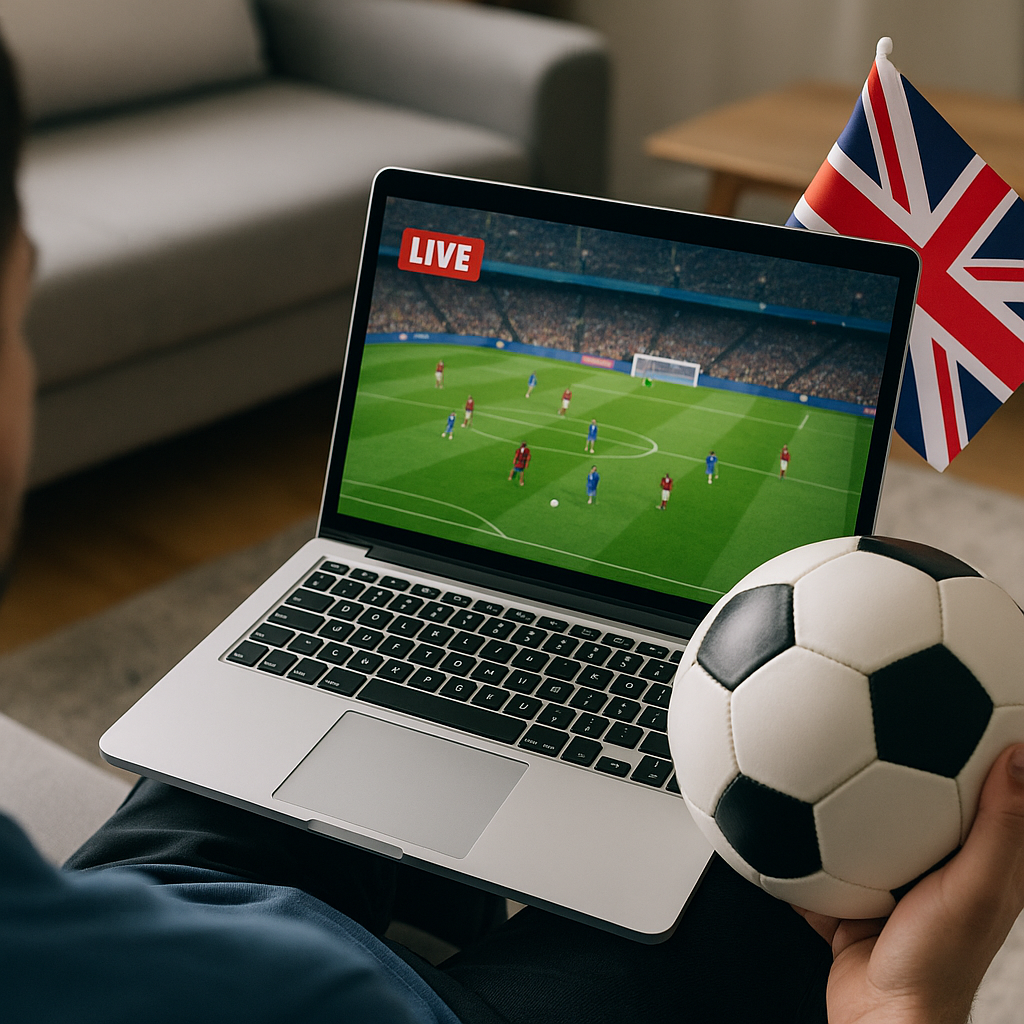
Watching live football online in the UK is now one of the easiest ways to follow your club, whether you are glued to the Premier League, chasing midweek European nights, or keeping an eye on the FA Cup. With Tiviprimes, a lot of viewers want a smoother, more flexible way to enjoy the match without turning the living room into a tech project.
The good news is that watching football online has become far more normal for UK households. Many fans now mix Freeview, apps, IPTV, smart TVs, Firesticks, phones and tablets, depending on who is showing the match and where they happen to be at kick-off.
That flexibility is brilliant, but it can also feel confusing. One weekend your match is on Sky Sports, the next it is on TNT Sports, then a cup tie appears on BBC iPlayer, ITVX, or another streaming app. Add broadband speeds, Wi-Fi black spots and data use into the mix, and it is easy to see why people want a plain-English guide.
This 2026 guide walks you through the practical side of watching live football online in the UK. We will cover services, devices, broadband, common problems, what to check before match day, and how IPTV fits into the modern viewing setup.
It is written for everyday football fans, not techies. If you simply want the match to load quickly, look sharp, and stay steady until the final whistle, you are in the right place.
Why live football online feels different in 2026
Football viewing in the UK has changed quickly. Not long ago, most fans thought in terms of a satellite dish, a cable box, or a trip to the pub. Those options still matter, but online viewing has become part of normal home entertainment, especially for households that already use Netflix, BBC iPlayer, ITVX, Disney+, YouTube, and catch-up apps.
In 2026, the biggest difference is choice. You can watch on the main telly, move to a tablet in the kitchen, use a phone when travelling, or set up a Fire TV Stick in a bedroom. That is handy when family members want to watch different things, or when two matches clash.
Online football also suits the way UK fans actually live. Kick-off might be straight after work, during the school run, or whilst you are away for the weekend. Instead of being tied to one box under the telly, streaming lets you build a match-day setup around your routine.
The main benefits are:
- More device flexibility around the home
- No need for a satellite dish in many cases
- Easy viewing on smart TVs, sticks and tablets
- Quick access to apps and live channels
- Useful for renters and shared homes
- Better choice for multi-room viewing
There are still a few things to get right. Live football is less forgiving than a film because everyone notices delays, stutters and blurry action. If your broadband, Wi-Fi or app setup is weak, the problem usually shows up just as your team breaks on the counter.
Where UK viewers can watch live football online
Before worrying about devices, it helps to understand where matches actually appear. UK football rights are split across different broadcasters and competitions, which is why the answer is rarely as simple as one subscription for everything.
For many viewers, the weekly mix includes Sky Sports, TNT Sports, Amazon-style streaming coverage when available, BBC, ITV, Channel 4 for selected international football, and club or league services for certain competitions. Some matches are available through broadcaster apps, whilst others require a pay-TV login or a dedicated streaming subscription.
This is where a well-organised IPTV setup can feel more convenient. Instead of switching between lots of physical boxes, many viewers prefer one online viewing environment that brings live TV, sports channels and entertainment together. If you are new to the concept, the beginner-friendly explanation in this UK IPTV beginner guide is a useful place to start.
In most cases, the best approach is to think about your actual viewing habits. Do you follow one Premier League club? Do you watch every televised match? Do you care about EFL, Scottish football, Champions League, Europa League, FA Cup, Carabao Cup and internationals? Your answers will guide what you need.
Premier League, Sky Sports, TNT Sports and Amazon-style fixtures
The Premier League is still the biggest driver for UK sports subscriptions. Fixtures are usually shared between major rights holders, so fans often need access to more than one service to cover the whole season. Sky Sports remains central for many weekend matches, TNT Sports is important for selected league and European coverage, and streaming-led fixture packages may appear at certain points depending on current rights arrangements.
For online viewing, this usually means using apps on a smart TV, streaming stick, games console, phone, tablet or laptop. The experience can be excellent when everything is set up well. You can get sharp HD or 4K pictures, quick channel changes and the freedom to watch in more than one room.
However, the Premier League is also where delays and buffering feel most frustrating. If neighbours are cheering a goal before your stream shows it, or the picture freezes during a penalty, it can spoil the whole evening. That is why preparation matters more for live football than for normal on-demand telly.
Cups, Europe and international matches
Cup and European football can be even more scattered. FA Cup games may be split between free-to-air broadcasters and pay-TV platforms. Champions League, Europa League and Conference League matches are often tied to sports packages. England, Scotland, Wales and Northern Ireland fixtures can appear on different channels depending on the competition and rights at the time.
Free-to-air apps are worth keeping on your device even if you pay for sports. BBC iPlayer and ITVX can be essential during tournaments, FA Cup weekends and major international matches. Channel 4 and other UK broadcasters may also carry selected fixtures, highlights or qualifiers.
A practical football fan’s app list might include:
- BBC iPlayer for BBC live matches and highlights
- ITVX for ITV football and tournament coverage
- Channel 4 streaming for selected internationals
- Your sports subscription app
- Your IPTV app or player
- A reliable live scores app as backup
The key is not to wait until five minutes before kick-off. If an app needs an update, password reset or device activation, it will always seem to happen when the teams are walking out.
What you need before kick-off
Watching live football online in the UK does not require a complicated setup, but it does reward a little planning. In most homes, the basics are a steady broadband connection, a compatible device, a reliable streaming service, and a TV or screen that suits how you like to watch.
If you want a simple pre-match checklist, start with the essentials. Your broadband should be quick enough, your Wi-Fi should reach the room properly, your device should be updated, and your subscription should be active. If you are using IPTV, make sure you have chosen a trustworthy provider and tested the service before a big game.
For a more detailed preparation list, the IPTV requirements checklist for UK viewers is especially useful because it covers the everyday items people often forget, such as device storage, app compatibility and router position.
Before match day, check:
- Your broadband speed in the room you will watch
- Your Wi-Fi signal strength near the TV
- Your streaming app login details
- Your HDMI cable or streaming stick connection
- Any pending updates on your device
- Your subscription renewal date
- Your backup way to watch if needed
It is also worth deciding who else will be using the internet. If someone is downloading games, uploading work files, watching 4K video in another room, and joining a video call, your football stream may struggle. A calm household network is often the secret to a calm match night.
Best devices for watching live football online in the UK
You do not need the most expensive equipment to watch football online, but the device does matter. Live sport needs quick processing, stable Wi-Fi and a player that handles motion well. A cheap, old device may work for catch-up TV but still struggle with fast football streams.
Popular UK options include smart TVs from Samsung, LG, Sony and Hisense, Amazon Fire TV Stick devices, Android TV boxes, Apple TV, Roku, tablets, laptops, Xbox and PlayStation consoles. Each has strengths. Smart TVs are tidy because everything is built in. Firesticks are affordable and portable. Apple TV tends to feel polished. Android-based devices offer lots of app flexibility.
For many UK households, the Amazon Fire TV Stick is a favourite because it is easy to plug into a spare HDMI port and simple to move between rooms. If that is your preferred route, this Firestick IPTV installation guide for the UK explains the setup in a beginner-friendly way.
When choosing a football streaming device, look for:
- Strong Wi-Fi support, ideally 5 GHz or Wi-Fi 6
- Enough storage for apps and updates
- A simple remote control
- Good app compatibility
- HD or 4K support if your TV allows it
- Regular software updates
If you mainly watch on the living room telly, a dedicated streaming stick or box is often more reliable than relying on an ageing smart TV app. Smart TV apps can become slow over time, especially on older models. A fresh streaming device can give an older television a new lease of life for a modest cost.
Phones and tablets are useful too, especially for travel or second-screen viewing. Just remember that mobile networks can vary widely. A 5G signal may be brilliant outside a station and poor inside a hotel room. If the match really matters, Wi-Fi is usually the safer option.
Step-by-step: setting up for match day
The best match-day setup is the one you barely notice. You switch on, open the app, choose the channel, and settle in before the build-up starts. To get there, follow a simple routine rather than leaving everything to the last minute.
- Check the fixture details. Confirm which broadcaster or service is showing the match. Do this earlier in the day, not at kick-off.
- Test your device. Turn on your smart TV, Firestick, box, tablet or console and make sure it connects properly.
- Open the app early. Check that you are still logged in and that the app loads without errors.
- Run a quick speed test. Test from the same room where you will watch, because Wi-Fi speed changes around the house.
- Restart if needed. If things feel slow, restart the router and streaming device at least 20 minutes before kick-off.
- Close unused apps. On sticks, boxes and tablets, closing background apps can help performance.
- Start the stream before kick-off. Join during the build-up so you can fix issues before the first whistle.
This might sound like a lot, but after doing it once or twice, it becomes second nature. Think of it like putting the kettle on, finding the remote and grabbing your favourite seat before the match starts.
If you often invite friends round for football, test your setup on a less important match first. There is no shame in experimenting during a quiet midweek fixture. It is much better than discovering a password problem during a Manchester derby, north London derby or promotion play-off final.
Streaming vs satellite vs cable for football fans
One of the biggest questions for UK viewers is whether online streaming is better than satellite or cable. The honest answer is that each option has pros and cons, and the best choice depends on your home, budget and football habits.
Satellite services such as Sky Q can feel familiar and stable, especially for households that like a traditional TV guide and recording features. Cable, where available, can also be convenient if it is bundled with broadband. Streaming and IPTV, on the other hand, usually offer more flexibility across devices and rooms, and may be easier for renters or people who do not want a dish.
If you want a fuller comparison beyond football, the streaming vs satellite vs cable UK guide breaks down the wider differences in a helpful way.
For football specifically, compare them like this:
- Streaming: flexible, app-based, good for multi-device viewing
- Satellite: familiar, robust, often strong for traditional sports packages
- Cable: convenient where available, often bundled with broadband
- IPTV: internet-based, flexible, and simple when set up well
- Freeview: useful for selected free-to-air matches and highlights
Latency is worth mentioning. Online streams can sometimes run behind satellite or aerial broadcasts by several seconds. For many fans, this is not a big problem. If you live in a block of flats full of football supporters, though, you may hear cheers before you see the goal. Using a fast, stable connection and a reliable service can reduce delays, but some delay is normal with online delivery.
Picture quality is another factor. Streaming can look excellent, including HD and 4K where supported, but it adapts to your internet connection. If your Wi-Fi dips, the picture may soften. Satellite tends to be more consistent once installed properly, but offers less device flexibility. In most cases, viewers choose the trade-off that suits their lifestyle.
Broadband speed, Wi-Fi and data use
Broadband is the foundation of watching live football online in the UK. You can have a brilliant TV and a top streaming device, but if your connection is unstable, the experience will suffer. The good news is that most modern UK fibre packages from providers such as BT, EE, Sky Broadband, Virgin Media, TalkTalk, Vodafone and Plusnet are fast enough for HD football when the home network is set up properly.
As a rough guide, one HD stream may need around 10 Mbps for comfortable viewing, whilst 4K can need 25 Mbps or more. Those numbers are not huge by modern standards, but speed is only part of the story. Stability matters just as much. A connection that jumps up and down can cause more problems than one that is slightly slower but steady.
For busy households, allow extra capacity. If you have two football streams running, a teenager gaming online, someone watching YouTube, and cloud backups happening in the background, your broadband has more work to do. This is why a 60 Mbps package can feel fine in one home and tight in another.
Data use also matters, particularly if you rely on mobile broadband, 4G or 5G home internet, or a plan with fair usage limits. Live sport can use a noticeable amount of data, especially in HD or 4K. For a practical breakdown, read how much internet data streaming TV uses in the UK before committing to lots of online match viewing.
To improve your match-night connection:
- Use fibre broadband where available
- Place your router in an open central spot
- Connect by Ethernet cable if practical
- Use 5 GHz Wi-Fi near the router
- Avoid heavy downloads during the match
- Restart old routers occasionally
Router settings can make a real difference too. Quality of Service, Wi-Fi band selection and channel congestion all sound technical, but the basics are manageable. If you want simple explanations, the guide to router settings that improve IPTV streaming quality is written with UK homes in mind.
Do not forget the physical layout of your home. Thick walls, extensions, loft rooms and garden offices can all weaken Wi-Fi. If your router sits in the hallway and your telly is at the back of the house, a mesh Wi-Fi system or powerline adapter may help. For football, a boring wired connection often beats a flashy wireless one.
Fixing buffering before it ruins the match
Buffering is the classic football streaming frustration. The ball goes into the box, the picture freezes, and everyone in the room groans. In most cases, buffering is caused by one of a few common issues: weak Wi-Fi, overloaded broadband, an old device, a struggling app, or a poor-quality stream.
The good news is that many buffering problems can be fixed without calling an engineer. Start with the basics. Restart your streaming device, close unused apps, move closer to the router, or switch from Wi-Fi to Ethernet. If the picture improves, you have found a local home network issue rather than a general service problem.
If buffering happens only during big matches, it may be linked to peak demand. Popular fixtures place more pressure on services and networks. A reputable provider should be prepared for this, but your own home connection still needs to be steady.
Quick fixes to try:
- Restart the app and stream
- Restart the streaming device
- Pause other downloads in the house
- Move the router away from cupboards
- Try a wired Ethernet connection
- Lower quality from 4K to HD if needed
For a deeper troubleshooting walkthrough, see why IPTV keeps buffering and UK fixes for 2026. It covers the usual causes in a calm, step-by-step way, which is exactly what you need when your stream is misbehaving.
Also think about device age. Older Firesticks, underpowered Android boxes and slow smart TVs can struggle even when the broadband is fine. If menus lag, apps crash, or the device feels hot, it may be time to clear storage, update the software or upgrade.
Finally, be realistic about Wi-Fi extenders. Some cheap plug-in extenders show a strong signal but deliver poor speed. Mesh Wi-Fi systems are often better for whole-home coverage, especially in larger UK houses with thick internal walls.
Choosing a football-friendly IPTV service
IPTV simply means television delivered over the internet. For football fans, the appeal is clear: live channels, sports coverage and entertainment can be accessed through one internet-based setup rather than relying entirely on a dish or cable box. But choosing carefully matters.
A football-friendly IPTV service should be stable during peak times, easy to use, compatible with common UK devices, and supported by clear guidance. It should not leave you guessing about setup, app choices or troubleshooting. A lot of viewers do not want endless technical jargon; they want to know which button to press and how to get the match on the telly.
If you are comparing options, the IPTV buying guide for UK viewers explains how to subscribe smartly and what to check before paying. This is particularly helpful if you are moving from traditional TV to online viewing for the first time.
Look for these qualities:
- Clear setup instructions for your device
- Reliable support before and after purchase
- Good performance during busy sports periods
- Compatibility with Firestick and smart TVs
- Simple channel navigation
- Transparent subscription information
It is sensible to be cautious with any service that promises the world but offers little information, poor support or confusing setup steps. Football fans are often targeted with rushed deals around big fixtures. Take your time. A calm decision is usually a better decision.
Tiviprimes is built for viewers who want a premium IPTV experience without feeling overwhelmed. Whether your priority is football, movies, entertainment, international channels or family viewing, the aim is to make online TV feel straightforward and dependable.
Remember that rights and availability can change. Always check the current details for the competitions and channels you care about. If one team or league is the main reason you are subscribing, confirm that your setup suits that viewing need before match day.
Common Mistakes to Avoid
Most football streaming problems are avoidable. They usually happen because someone rushes the setup, buys the cheapest device, ignores Wi-Fi strength, or waits until kick-off to test everything. The good news is that a few small habits can prevent a lot of stress.
One common mistake is assuming broadband speed at the router is the same as speed at the TV. Your provider might deliver strong speed into the house, but the room where you watch could still have weak Wi-Fi. Always test from the actual viewing spot.
Another mistake is relying on an old smart TV app that has not been updated properly. If your telly is several years old, an external streaming stick may give you a smoother experience. This is often cheaper than replacing the TV.
Avoid these match-day traps:
- Testing your app only at kick-off
- Using weak Wi-Fi in a back room
- Ignoring device updates for months
- Streaming 4K on a crowded network
- Forgetting passwords and activation codes
- Choosing a service with poor support
- Letting children download games during the match
It is also a mistake to judge everything by one bad evening. Sometimes a local broadband fault, router issue or app update can cause temporary problems. If issues repeat, investigate properly. If they happen once, make notes and test again before making big changes.
Finally, do not overlook comfort. Football is not just a video stream; it is a couple of hours of emotion, snacks, shouting and shared moments. Make sure your remote works, your sound is clear, your seat has a decent view, and the stream is running before everyone sits down.
FAQ
What is the best way to watch live football online in the UK?
The best way depends on the competitions you follow. Many UK viewers use a mix of broadcaster apps, sports subscriptions, Freeview apps such as BBC iPlayer and ITVX, and IPTV. For the smoothest experience, use a reliable broadband connection, a modern streaming device, and test your setup before kick-off.
Do I need superfast broadband for online football?
You do not always need the fastest package available, but you do need a stable connection. HD football is usually comfortable on a decent fibre connection, whilst 4K needs more speed and consistency. If several people use the internet at once, choose a package with extra headroom.
Is a Firestick good for watching football online?
Yes, a Firestick can be a very good option for many UK football fans. It is affordable, portable and works with many streaming and IPTV apps. For best results, keep it updated, use strong Wi-Fi or an Ethernet adapter, and avoid filling it with too many unused apps.
Why does my football stream buffer during big matches?
Buffering during big matches can happen because of weak Wi-Fi, busy home broadband, an overloaded device, app issues or high demand. Try restarting your device, closing background apps, pausing downloads and using Ethernet where possible. If it keeps happening, review your router and device setup.
Can I watch football online without satellite or cable?
Yes, in many cases you can watch football online without a satellite dish or cable box. Broadcaster apps, streaming subscriptions, Freeview apps and IPTV can all form part of an online setup. The right choice depends on which matches and channels you want to access.
Final Thoughts: Watching live football online in the UK is no longer unusual; for many fans, it is the most flexible way to enjoy the game. With the right broadband, a reliable device, sensible preparation and a service that suits your viewing habits, match nights can feel smooth and simple. If you want a premium IPTV option designed to make online telly easier for everyday UK viewers, Tiviprimes is here when you are ready to explore a calmer way to watch.