10 Aug
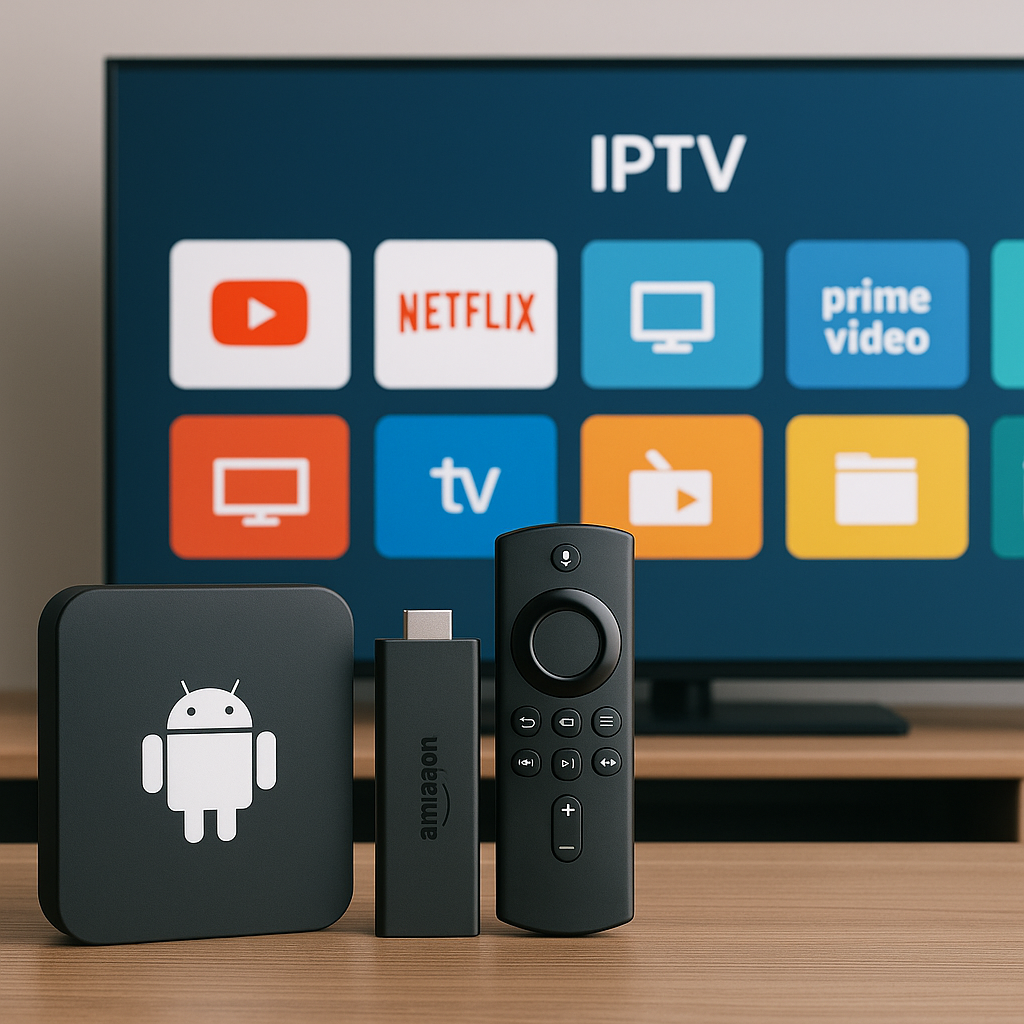
Android Box vs Firestick vs Smart TV for IPTV is one of the most common questions UK viewers ask when they want smoother telly, more choice, and a simple way to watch at home. At Tiviprimes, we speak to a lot of viewers who are not interested in tech jargon; they simply want to know which device will work well in the lounge, bedroom, kitchen, or caravan.
The good news is that all three options can work for IPTV in the UK. An Android TV box can be powerful and flexible, an Amazon Fire TV Stick is affordable and familiar, and many Smart TVs can run IPTV apps without needing another gadget under the telly.
However, they do not all feel the same day to day. Some devices are quicker to open channels, some are easier for the family to use, and some cope better with 4K sport, catch-up, and evening peak-time streaming when everyone in the street seems to be online.
This guide gives you a calm, practical UK verdict for 2026. We will compare setup, performance, remote controls, app choice, picture quality, value, broadband needs, and the little details that matter when you sit down after work and just want your programmes to play.
If you are completely new to internet telly, it may help to read this simple explainer on what IPTV means for UK viewers first. If you already know the basics, let us get straight into the real-world verdict.
Quick UK Verdict: Which IPTV Device Wins in 2026?
For most UK households in 2026, the Amazon Firestick is the easiest all-round choice for IPTV. It is affordable, widely available, simple to plug in, and familiar to anyone who already uses Prime Video, BBC iPlayer, ITVX, Channel 4, Netflix, or YouTube. If you want a no-fuss device for the main telly or a second room, a Firestick is usually the safest starting point.
That said, the best device depends on how you watch. An Android box is often the better pick for people who want maximum flexibility, faster performance, more storage, and stronger app control. A Smart TV app can be the tidiest option if you hate extra remotes and cables, but it is not always the smoothest or most future-proof route.
Here is the short version:
- Best for beginners: Firestick
- Best for power users: Android TV box
- Best for tidy setup: Smart TV app
- Best for bedroom telly: Firestick
- Best for wired Ethernet: Android box
- Best if you dislike gadgets: Smart TV app
In most cases, the device is only one part of the experience. Your broadband speed, Wi-Fi strength, app quality, and IPTV subscription all matter too. Before spending money, it is sensible to check the basics with an IPTV requirements checklist for UK homes, especially if you have an older router or a busy household.
What Matters Most When Choosing an IPTV Device?
A lot of viewers assume the most expensive device must be the best. Sometimes it is, but not always. IPTV is about consistency. You want the picture to start quickly, stay clear, and not freeze during the final ten minutes of a Premier League match or the last episode of a drama.
The main things to compare are:
- App support: Can the device run the IPTV apps you need?
- Speed: Does the menu feel snappy or sluggish?
- Wi-Fi performance: Can it hold a strong signal in your room?
- Ethernet option: Can you use a cable for stability?
- Remote control: Is it simple for everyone in the house?
- Storage: Is there room for apps and updates?
- Updates: Will the device keep working well in future?
UK viewing habits also matter. Many homes mix IPTV with Freeview, Sky Stream, NOW, BBC iPlayer, ITVX, Disney Plus, and sports subscriptions. Some people only watch in the evening. Others keep telly on all day, from breakfast news to late-night films. If you stream for hours, you may also want to understand how much internet data streaming TV uses in the UK, particularly if you have a capped mobile broadband plan or use 4G or 5G at home.
In simple terms, choose the device that fits your house, not the one that sounds most impressive online. A young family in Manchester, a retired couple in Devon, and a student flat in Leeds may all need different answers.
Android Box for IPTV UK: Strengths and Weak Spots
An Android box is a small media device that connects to your television, usually by HDMI. It runs Android TV or a version of Android, giving you access to streaming apps, IPTV players, media tools, and settings that are often more open than Firestick or Smart TV systems.
The biggest advantage is flexibility. Many Android boxes offer more storage, more ports, better processors, and the option of Ethernet built in. That makes them appealing if you watch IPTV often, prefer a wired connection, or want a device that can handle bigger playlists, catch-up menus, 4K streams, and multiple apps without feeling cramped.
Android boxes are especially popular with viewers who:
- Watch IPTV as their main telly source
- Want a fast menu and quick channel changes
- Prefer wired Ethernet over Wi-Fi
- Need more room for apps
- Use external storage or USB accessories
- Like to customise settings
There is a catch, though. The Android box market is mixed. Some devices are excellent, but some cheap unbranded boxes are underpowered, poorly updated, or cluttered with odd menus. If you buy the cheapest box you can find from an unknown seller, you may end up with slow performance, overheating, or apps that stop working after an update.
For UK viewers, the best Android boxes are usually those from recognised brands or models with proper Android TV certification. They tend to support mainstream apps more reliably, including YouTube, Netflix, Prime Video, and sometimes UK catch-up apps. Not every Android box has perfect support for BBC iPlayer or ITVX, so it is worth checking before you buy if those apps matter to you.
An Android box also suits people who do not mind a little setup. It is not difficult, but it can feel less polished than a Firestick. You may see more settings, more app choices, and more options than you need. For confident users, that is a benefit. For someone who wants pure simplicity, it can feel like clutter.
The Android box verdict is clear: it is the best choice if you want control, performance, storage, and wired stability. It is less ideal if you want the simplest possible plug-in-and-watch experience.
Firestick for IPTV UK: The Popular All-Rounder
The Firestick has become a favourite in UK homes because it is small, affordable, and easy to understand. You plug it into an HDMI port, connect to Wi-Fi, sign in with an Amazon account, and use a remote that most people can work out within minutes.
For IPTV, the Firestick is popular because it gives a good balance of cost and convenience. It is available from Amazon, Argos, Currys, supermarkets, and many high-street retailers. If you need another one for the bedroom, spare room, or holiday home, it is simple to replace or add.
The main Firestick benefits are:
- Low upfront cost
- Simple remote with voice search
- Good app availability
- Compact design behind the telly
- Easy to move between rooms
- Strong support and regular updates
For many households, a Fire TV Stick 4K or 4K Max is the sweet spot. It is stronger than the cheapest HD model and better prepared for modern streaming. Even if your current telly is not 4K, the faster processor can make menus feel smoother.
Installation is usually straightforward, although some IPTV apps may need a few extra steps depending on the player you use. If you want a dedicated walkthrough, this Firestick IPTV installation guide for the UK explains the process in plain English.
The main downside of Firestick is storage. It can fill up if you install lots of apps and games. It also relies heavily on Wi-Fi unless you buy an Ethernet adapter. In a flat with the router nearby, that may be fine. In a larger house with thick walls, Wi-Fi can be less reliable, especially during peak evening hours.
Another small issue is Amazon advertising and recommendations. Some viewers find the home screen busy. It is not a deal-breaker, but if you prefer a clean, simple app launcher, an Android box may feel calmer.
The Firestick verdict is that it is the best everyday IPTV device for most UK viewers. It is not the most powerful, but it is reliable enough, easy enough, and affordable enough to make sense in a lot of homes.
Smart TV IPTV Apps: The Cleanest Setup
Using IPTV directly on a Smart TV is the neatest option. There is no extra box, no separate power lead, and no second device hanging behind the screen. You open the TV app store, install an IPTV player if available, add your details, and watch through the television itself.
This can work very well on newer Samsung, LG, Sony, Hisense, Philips, and TCL televisions, depending on the operating system and available apps. If your TV already handles BBC iPlayer, ITVX, Channel 4, My5, Netflix, and Prime Video smoothly, IPTV may feel like a natural addition.
Smart TV IPTV is best for viewers who:
- Want fewer cables
- Prefer one remote
- Watch casually rather than heavily
- Have a newer television
- Do not like extra boxes
- Use IPTV in a kitchen or spare room
The weak spot is app availability and long-term support. Smart TV app stores vary. Some IPTV apps are available on one brand but not another. Some older TVs stop receiving updates, and an app that works today may become slow or unsupported later. This is especially true with budget Smart TVs from several years ago.
Performance can also be limited. The processor inside a television is designed to run the TV first. On some models, menus are smooth. On others, IPTV apps can feel slow, particularly with large channel lists or catch-up libraries. If your Smart TV already takes ages to open ITVX, that is a warning sign.
Another point is troubleshooting. With a Firestick or Android box, you can replace the device without replacing the television. With a Smart TV app, if the telly becomes outdated, your only real fix may be adding an external streamer anyway.
The Smart TV verdict is that it is brilliant for tidiness and casual viewing, but not always best for serious IPTV use. If your TV is new and powerful, try it. If your telly is older or sluggish, a Firestick or Android box will usually give a better experience.
Android Box vs Firestick vs Smart TV: UK Comparison
Now let us compare the three options side by side in practical UK terms. This is not about winning a spec sheet. It is about what happens when you sit down with a cuppa, open the app, and expect the picture to work.
Ease of setup: Firestick wins for most people. Smart TV apps can be simple if the right app is available, but finding and configuring apps varies by brand. Android boxes offer more freedom, but setup can take longer.
Performance: A good Android box wins, especially for fast menus, bigger playlists, and wired Ethernet. A Firestick 4K Max performs well for the price. Smart TVs vary enormously by model.
Price: Firestick usually offers the best value. Smart TV apps cost nothing extra if your telly supports them. Android boxes range from cheap to premium, but you should avoid suspiciously low-cost models.
Wi-Fi and Ethernet: Android boxes often win because many include Ethernet. Firestick can use Ethernet with an adapter. Smart TVs often have Ethernet, but app performance may still depend on the television hardware.
Remote control: Firestick is simple and family-friendly. Smart TV remotes are familiar but can be cluttered. Android box remotes vary from excellent to awkward.
App choice: Android boxes and Firesticks are usually stronger than Smart TVs. Firestick is more polished for mainstream apps. Android boxes are more flexible for IPTV players.
Long-term value: Firestick and reputable Android boxes are easy to replace. Smart TV apps depend on the TV brand keeping software updated.
Compared with traditional TV packages, IPTV devices are also part of a wider shift in how UK households watch. If you are weighing internet streaming against older options, this streaming vs satellite vs cable UK guide is useful for understanding the bigger picture.
Overall, the comparison looks like this:
- Choose Firestick if you want the easiest safe choice.
- Choose Android box if you want the best control and performance.
- Choose Smart TV if you want the cleanest setup and already have a good TV.
- Avoid old devices if you want smooth IPTV in 2026.
- Prioritise broadband as much as the device itself.
Best Device by UK Viewing Habit
The right answer often depends on what you watch. A household that mainly watches soaps, films, and catch-up has different needs from a football fan who watches live sport at peak times. Live sport is less forgiving because buffering, lag, and picture drops are far more annoying when the match is unfolding in real time.
If you watch a lot of football, especially Premier League, Champions League, EFL, Scottish Premiership, or international fixtures, choose a device with strong Wi-Fi or Ethernet. A Firestick 4K Max is a good value choice, but a quality Android box with Ethernet can be even better for stability. You may also find this guide to watching live football online in the UK helpful if sport is your main priority.
For families, the Firestick is often the easiest because everyone recognises the interface. Children can jump between YouTube, Disney Plus, and IPTV apps. Parents can use voice search. Grandparents can usually manage the remote after a quick explanation.
For a bedroom TV, a Firestick is hard to beat. It is small, cheap, and does not need space on a cabinet. For a kitchen TV, a Smart TV app may be fine if you only watch short sessions. For the main living room TV, an Android box or Firestick 4K Max gives a stronger experience than most built-in TV apps.
Here are some common UK household examples:
- Busy family home: Firestick 4K Max
- Sport-focused household: Android box with Ethernet
- Older viewer wanting simplicity: Firestick or Smart TV app
- Student flat: Firestick for value and portability
- Large detached home: Android box plus wired network if possible
- Holiday let or caravan: Firestick with reliable Wi-Fi or mobile broadband
If you are still deciding what to subscribe to as well as which device to buy, take your time. A sensible IPTV buying guide for UK viewers can help you compare value, support, content, and reliability before committing.
How to Set Up Your Chosen IPTV Device
Setup varies slightly by device, but the broad process is similar. The aim is to keep it simple, avoid rushed settings, and make sure your internet connection is strong before blaming the app or service.
- Check your broadband first. Run a speed test near the television. For HD IPTV, many homes are comfortable with 25 Mbps or more. For 4K, more headroom is better, especially if several people stream at once.
- Place the device well. Do not bury a Firestick behind a thick wall-mounted TV if the Wi-Fi signal is weak. Use the HDMI extender if supplied. Keep Android boxes in open air so they do not overheat.
- Connect to the best network. Use 5 GHz Wi-Fi if you are close to the router, or Ethernet if available. In larger homes, consider a mesh Wi-Fi system from providers such as BT, EE, Sky Broadband, Virgin Media, TalkTalk, Plusnet, or Vodafone.
- Install the IPTV app. Use a trusted IPTV player supported by your device. On Smart TVs, check your brand app store. On Firestick and Android boxes, follow the correct installation method for that device.
- Enter your subscription details carefully. A single wrong letter in a username, password, portal, or playlist link can stop everything working. Copy and paste where possible.
- Test live channels and catch-up. Try a news channel, a film channel, a sports channel, and catch-up if included. This helps you spot whether one area has a problem or the whole setup is weak.
- Tidy the experience. Move your IPTV app to the home screen, remove apps you do not use, and show other family members how to find the basics.
In most cases, you do not need advanced technical knowledge. You just need the right app, the right login details, a stable internet connection, and a device that is not struggling with age or storage.
If you are setting up for someone else, write down the simple steps for them. For example: turn on telly, press HDMI 1, open IPTV app, choose Live TV. That small note can prevent a lot of confused phone calls later.
Speed, Buffering and Wi-Fi Tips for IPTV Devices
Buffering is one of the biggest frustrations for IPTV viewers, but it is not always caused by the IPTV device. It can be the broadband line, router placement, Wi-Fi congestion, app cache, overloaded home network, or even an old device running out of memory.
Start with the simple checks:
- Restart your router once in a while
- Restart the IPTV device weekly
- Clear app cache if the app feels slow
- Delete unused apps to free storage
- Move closer to the router if possible
- Use Ethernet for the main TV when you can
If your stream buffers mostly in the evening, your home network may be busy. Someone gaming upstairs, another person watching Netflix in 4K, phones backing up photos, and laptops updating can all affect IPTV. This is why a device with better Wi-Fi or Ethernet can make a noticeable difference.
For Firestick users, an Ethernet adapter can be a cheap upgrade. For Android box users, plug directly into the router or a powerline adapter if practical. For Smart TV users, try Ethernet into the TV if the app is otherwise good.
Router settings can also help. Many UK routers are left on default settings for years, even after adding more phones, tablets, cameras, speakers, and streaming devices. If you want to improve stability, read these router settings that improve IPTV streaming quality. Small changes such as choosing a cleaner Wi-Fi channel or separating 2.4 GHz and 5 GHz bands can make a big difference.
If buffering continues, work through the issue logically. Do not immediately buy a new device without testing. This detailed guide on why IPTV keeps buffering and UK fixes can help you narrow down the cause.
As a rule of thumb, if every streaming app buffers, the issue is probably broadband or Wi-Fi. If only one IPTV app buffers, the app, settings, or service may be the cause. If the device is hot, full, or very old, replacing it may be sensible.
Common Mistakes to Avoid
Most IPTV problems are avoidable. The good news is that you do not need to become a network engineer. A few sensible choices at the start can save a lot of annoyance later.
Here are the most common mistakes UK viewers make:
- Buying the cheapest unknown Android box. A bargain box can become expensive if it overheats, crashes, or stops receiving updates.
- Using an old Firestick. Older HD sticks may struggle with modern apps, especially if storage is nearly full.
- Assuming every Smart TV app is equal. App support varies by brand, model, and year.
- Ignoring Wi-Fi signal. A fast broadband package means little if the signal barely reaches the telly.
- Keeping too many apps installed. Full storage can slow devices and cause app errors.
- Not checking legitimate access. Always use IPTV services responsibly and choose providers that are clear, reliable, and professional.
- Blaming the device too quickly. Test broadband, router, app, and device before replacing anything.
Another mistake is choosing based only on what a friend uses. Your friend may have a Virgin Media router beside the telly, whilst you may have a TalkTalk router two rooms away behind a brick wall. Their Firestick may be perfect, but your room may need Ethernet or a better Wi-Fi setup.
Also be careful with storage. Firesticks and Smart TVs can feel fine at first, then slow down months later as apps update and fill the space. Android boxes with more storage have an advantage here, but only if they are decent quality.
Finally, do not forget the remote. It sounds minor, but the best streaming device is the one your household can actually use. If the remote is confusing, buttons are tiny, or the interface is messy, people will avoid it. Comfort matters.
Final Thoughts
Android Box vs Firestick vs Smart TV for IPTV does not have one perfect answer for every UK home, but the verdict for 2026 is reassuringly simple. Choose a Firestick if you want the easiest and best-value all-rounder, choose a quality Android box if you want stronger performance and flexibility, and use a Smart TV app if you value a tidy setup and your television is modern enough to cope. In most cases, the best experience comes from pairing the right device with stable broadband, sensible router settings, and a dependable IPTV service. If you would like a smooth, friendly way to enjoy IPTV without unnecessary confusion, Tiviprimes is here to help you watch with confidence.
FAQ
Is an Android box better than a Firestick for IPTV?
A good Android box can be better than a Firestick for IPTV because it often has more storage, stronger hardware, and built-in Ethernet. However, a Firestick is easier for most people and usually better value. If you are a casual viewer, choose Firestick. If IPTV is your main telly source, consider a quality Android box.
Can I use IPTV directly on my Smart TV in the UK?
Yes, in many cases you can use IPTV directly on a Smart TV if your TV app store has a suitable IPTV player. Newer Samsung, LG, Sony, Philips, Hisense, and TCL models may support this. Older Smart TVs can be slow or limited, so an external Firestick or Android box may still give a smoother experience.
Which Firestick is best for IPTV in 2026?
For most UK viewers, a Fire TV Stick 4K or Fire TV Stick 4K Max is the best choice for IPTV in 2026. They are faster than basic HD models and better suited to modern apps, 4K streams, and busy home networks. Even on an HD television, the extra speed can make the device feel smoother.
Do I need Ethernet for IPTV?
You do not always need Ethernet, but it can help a lot. Ethernet is more stable than Wi-Fi and is especially useful for live sport, 4K streams, and homes with thick walls or busy networks. If Ethernet is not practical, strong 5 GHz Wi-Fi or a good mesh system can still work well.
What is the best IPTV device for beginners?
The best IPTV device for beginners is usually the Firestick. It is affordable, easy to buy in the UK, simple to set up, and familiar to many viewers. The remote is straightforward, mainstream apps are easy to find, and there is plenty of support available if you need help later.