04 Sep
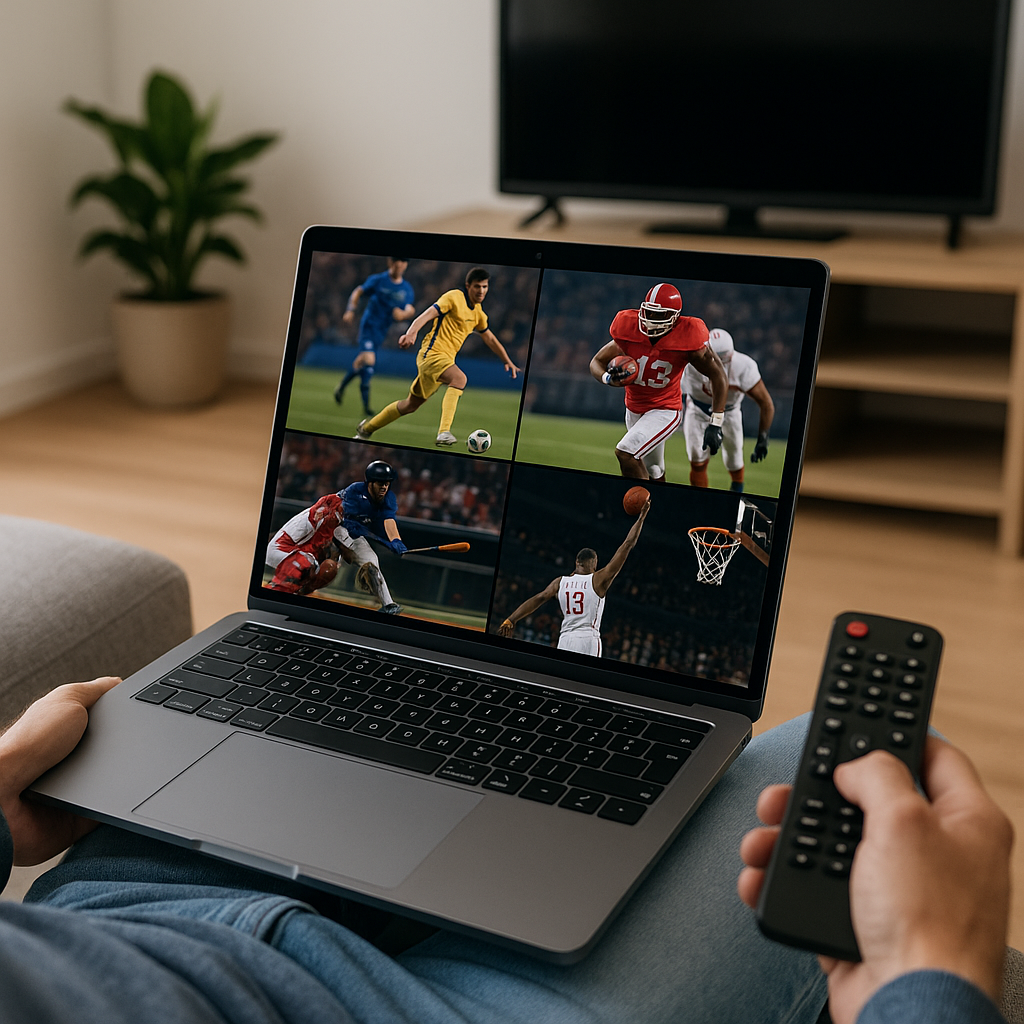
Watching Sports Channels Online Without a Big TV Contract is now a realistic option for a lot of UK households who want live sport without feeling tied to a bulky bundle. With services like Tiviprimes, everyday viewers can enjoy a simpler, more flexible way to watch telly across familiar devices.
For many sports fans, the old way felt a bit all or nothing. You wanted football, Formula 1, boxing, cricket, rugby or tennis, but you often had to take entertainment channels, hardware, installation dates and a long agreement you did not really want.
The good news is that watching sport online has become much more normal. Whether you use a Firestick, Android TV box, Smart TV, tablet, laptop or phone, you can now build a setup that feels close to traditional telly but gives you more control.
This guide is written for UK viewers who are not interested in becoming technical experts. We will cover what online sports viewing actually means, how it compares with a big TV contract, what equipment you need, how to avoid common mistakes, and how to make match day feel smooth and reliable.
We will also keep things realistic. Live sport is demanding because everyone tunes in at once, so broadband, device quality, app choice and sensible expectations all matter. In most cases, a little preparation makes a big difference.
Why UK viewers are rethinking big TV sports contracts
For years, premium sport in the UK was closely linked with big TV contracts. A household might take a satellite or cable package mainly for a few favourite sports channels, then find the bill creeping up with extras, add-ons, HD fees, multi-room costs and equipment charges.
That model still suits some homes. If you like everything in one place, want a traditional remote, and watch plenty of non-sport channels as well, a big bundle may feel convenient. But a lot of viewers now want something leaner.
Common reasons people look for alternatives include:
- Monthly bills becoming too high
- Only watching sport at weekends
- Not wanting a long contract
- Moving house or renting short term
- Using streaming devices already
- Wanting sport on more than one screen
UK viewing habits have changed too. Many people already use BBC iPlayer, ITVX, Channel 4, YouTube, Netflix, Prime Video or Disney+ without thinking twice. Watching sport through an app or IPTV-style setup is not as strange as it once sounded.
The important thing is to choose carefully. Not every service, app or playlist is equal, and the cheapest option is not always the best. If you are new to the wider IPTV world, the beginner-friendly explanation in this UK IPTV beginner guide is a useful place to understand the basics before deciding what suits your home.
What watching sports channels online really means
Watching sports channels online simply means your live channels arrive through your internet connection rather than through a satellite dish, aerial or cable line. Instead of a set-top box installed by a TV company, you usually use an app on a device you already own or can buy easily.
That could be a Firestick plugged into your telly, an Android TV box, a Smart TV app, a phone, a tablet or a laptop. You open the app, sign in, choose the channel or event, and watch over broadband.
For viewers, the experience can include:
- Live sports channels
- TV guide-style channel listings
- Catch-up programmes where available
- Video on demand libraries
- HD or Full HD streams
- Viewing across different devices
Some official sports services offer direct subscriptions for particular competitions or events. Other TV services provide broader channel packages online. IPTV services can also organise live channels in one app, often with an electronic programme guide, favourites and categories.
If you are used to Freeview, the main difference is choice and delivery. Freeview comes through an aerial and is simple for free-to-air channels. Online sports viewing uses broadband, so picture quality depends more on your internet, router, Wi-Fi and device.
It is also worth knowing the difference between live channels, catch-up and VOD. Live channels show what is currently being broadcast, catch-up lets you watch recent programmes after they have aired, and VOD is a library you choose from whenever you like. For a clearer explanation, see the UK guide to catch-up TV and VOD.
Sports channels online vs big TV contracts
When comparing sports channels online with a traditional big TV contract, it helps to think beyond the headline price. The cheapest monthly fee is not the whole story. You also need to consider flexibility, ease of use, device support, picture quality and whether the setup fits your routine.
Here is a practical comparison for UK households:
- Big TV contract: familiar, stable and often simple, but usually more expensive and less flexible.
- Online sports viewing: flexible and device-friendly, but needs decent broadband and a reliable app.
- Freeview: excellent for free-to-air events, but limited for premium sport.
- Single-sport apps: useful for one league or competition, but can become messy if you follow several sports.
- IPTV-style services: convenient for organising channels, but you must choose carefully and avoid poor providers.
A traditional contract may still be right if you want guaranteed support from a large provider, prefer not to manage apps, or need a complete household TV package. Online viewing is often better if you want to watch on a Firestick in the living room, a tablet in the kitchen, or a phone whilst travelling within the UK.
The good news is that you do not have to decide based on pressure or confusion. A sensible approach is to list what you actually watch. If you mainly care about Premier League fixtures, Champions League nights, F1 weekends, rugby internationals and occasional boxing, you may not need a huge entertainment bundle around it.
For a broader look at how the delivery methods compare, the streaming vs satellite vs cable UK guide explains the strengths and trade-offs in plain English.
Sports you can follow online in the UK
UK sports fans have a wide range of viewing habits. Some people plan their weekend around Premier League kick-offs. Others follow EFL, Scottish football, Formula 1, cricket, darts, UFC, boxing, rugby union, rugby league, golf, tennis, NFL or horse racing. The right online setup depends on the sports you actually care about.
Live sport online can include:
- Football channels and match coverage
- Sports news and highlights
- Racing and specialist sports channels
- International sports networks
- Pay-per-view style events where supported
- Catch-up and replays where available
Football deserves special mention because it drives so many TV decisions in the UK. Fixtures may be split across multiple broadcasters and services, which is why many viewers become frustrated with having several subscriptions at once. If football is your main priority, you may find the dedicated guide to watching live football online in the UK especially helpful.
Do remember that broadcast rights change. A match that appears on one channel this season may move next season. This is another reason flexibility matters. Online viewing can make it easier to adapt, but only if your service is dependable and your device is set up properly.
Free-to-air sport still has a place too. The BBC, ITV and Channel 4 often show major national moments, highlights or selected events. A balanced household setup may include Freeview for everyday channels, BBC iPlayer and ITVX for catch-up, plus an online sports service for premium live channels.
Best devices for watching sports channels online
You do not need a complicated home cinema system to watch sports channels online. In most cases, a reliable streaming device and decent broadband are enough. The aim is to make it feel like normal telly: switch on, open the app, pick the channel and enjoy the match.
Popular device choices in the UK include:
- Amazon Fire TV Stick
- Android TV box
- Google TV device
- Smart TV apps
- iPad or Android tablet
- Laptop with HDMI to TV
The Firestick is popular because it is affordable, easy to plug in and familiar to many UK households. It works well for living rooms, bedrooms and rented homes where you do not want permanent installation. If you are a Firestick user, the top streaming apps for UK Firestick owners article gives a useful overview of app options.
Android boxes can offer more storage, faster processors and extra flexibility. They suit viewers who want a slightly more powerful setup or who use several apps. Smart TVs can be convenient because there is no extra box, but older Smart TVs may be slower or have fewer app choices.
If you are unsure which route to take, compare your priorities:
- Simple and affordable: Firestick
- More powerful: Android TV box
- No extra device: Smart TV app
- Portable viewing: tablet or phone
- Occasional use: laptop and HDMI cable
For a deeper device comparison, see Android Box vs Firestick vs Smart TV for IPTV in the UK. It is especially useful if you are buying a device for a parent, a family home or a second room.
Broadband speed, data and picture quality for live sport
Live sport is less forgiving than ordinary programmes. If a drama buffers for ten seconds, it is annoying but not disastrous. If a stream freezes just before a penalty, a final lap or a last-over wicket, it can ruin the moment. That is why your broadband setup matters.
For most UK homes, a fibre connection from providers such as BT, Sky Broadband, Virgin Media, TalkTalk, Plusnet, Vodafone or EE will be enough if it is stable. The advertised speed is not the only thing that matters. Wi-Fi strength, router position and how many people are online can affect performance.
As a rough guide:
- 10 Mbps can handle basic HD on one screen
- 25 Mbps is more comfortable for HD streaming
- 50 Mbps helps with multiple devices
- 100 Mbps or more is useful for busy homes
- Wired Ethernet is often steadier than Wi-Fi
Data use is another point to consider. Most home broadband packages in the UK are unlimited, but some mobile data plans or home 4G and 5G routers may have limits. HD sport can use several gigabytes per match. If you often stream full events, check your plan. The guide on how much internet data streaming TV uses in the UK explains this in practical numbers.
If your stream buffers, do not immediately blame the service. Try moving closer to the router, restarting the device, closing other apps, lowering picture quality temporarily or using an Ethernet adaptor where possible. If buffering is a regular problem, these UK IPTV buffering fixes are worth working through calmly.
Router settings can also help. A modern router, sensible Wi-Fi channel selection and prioritising your streaming device can improve match-day stability. For more hands-on help, see the guide to router settings that improve IPTV streaming quality.
How to start watching sports channels online step by step
If you are new to online sports viewing, the process may sound more complicated than it really is. The good news is that you can break it down into a few simple steps. Do not rush into a long commitment before you know what works in your home.
- List your must-watch sports. Write down the leagues, channels and events you care about most, such as Premier League, F1, cricket, rugby or boxing.
- Check your broadband. Run a speed test near the telly and note whether Wi-Fi is strong enough for HD streaming.
- Choose your main device. Decide whether you will use a Firestick, Android box, Smart TV, tablet or laptop.
- Pick a reliable app. Choose an app that is easy to navigate, supports favourites and works well with your device.
- Set up your account or playlist. Follow the provider instructions carefully and keep login details safe.
- Test before match day. Try live channels at different times, not five minutes before kick-off.
- Create favourites. Add your main sports channels so you do not have to scroll through long lists.
Many IPTV apps use playlist or login details supplied by your service. If you see terms like M3U and feel unsure, do not worry. They are simply ways for an app to load channels. The plain-English M3U IPTV playlist guide for UK viewers explains what these files mean without heavy jargon.
Firestick users can also follow a dedicated setup path. If you are installing for the first time, the Firestick IPTV installation guide for the UK walks through the typical process in a beginner-friendly way.
Once everything is working, keep it simple. Avoid changing too many settings just before a big fixture. If your setup is stable, leave it alone and enjoy the sport.
Choosing a safe and sensible sports streaming setup
When people search for ways to watch sports channels online without a big TV contract, they often see a confusing mix of offers. Some are official broadcaster apps, some are IPTV services, some are device sellers, and some are unreliable pages making unrealistic promises.
A sensible service should feel professional and clear. You should understand what you are paying for, how to get support, what devices are supported, and what to do if you need help. Be cautious with providers that only communicate through vague social media messages or pressure you to buy immediately.
Look for positive signs such as:
- Clear setup instructions
- Responsive customer support
- Compatibility with common UK devices
- Reasonable pricing, not unbelievable claims
- Stable channel organisation
- Guidance for beginners
Also watch for red flags. If a service promises everything in the world for almost nothing, refuses to explain device compatibility, or pushes lifetime deals, step back. The IPTV service red flags to avoid in the UK article covers this in more detail.
It is also sensible to check whether your chosen app supports an electronic programme guide, often called an EPG. A good EPG makes sports viewing feel much more like ordinary TV because you can see what is on now and what is coming next.
In most cases, the best setup is not the flashiest. It is the one your household can use easily on a Saturday afternoon, a Tuesday Champions League night or a Sunday Grand Prix without stress.
Apps, TV guides and catch-up for smoother match days
One of the nicest things about online sports viewing is that you can shape the app around the way you watch. Instead of scrolling through hundreds of channels, you can create a sports favourites section, use a TV guide, and place your most-used channels near the top.
Useful app features include:
- Favourites for sports channels
- Search by channel name
- EPG programme listings
- Catch-up where supported
- Recently watched channels
- Parental controls for family homes
TiviMate is popular with many Android TV and Firestick users because it offers a polished TV-style layout. If you want that traditional guide feel, the TiviMate setup and configuration guide is a helpful companion.
IPTV Smarters Pro is another familiar option for UK viewers. It is widely used, works on several devices and can be straightforward once the login details are entered correctly. If you prefer that app, follow the IPTV Smarters Pro setup guide for UK viewers.
A working TV guide can make a huge difference during busy sports days. You can see when pre-match coverage starts, when a race begins, or what follows a live event. If your EPG is missing or wrong, do not panic. The guide to getting a working TV guide EPG on IPTV apps explains the common fixes.
Catch-up can also be useful if you miss a build-up show, highlights programme or late-night replay. Not every channel or service supports it, so check what is available before assuming every event can be watched later.
Common Mistakes to Avoid
A lot of viewers run into problems not because online sports viewing is too difficult, but because they rush the setup or choose the wrong equipment. A calm, careful start saves frustration later.
Here are the most common mistakes to avoid:
- Testing at kick-off. Set everything up well before the match starts.
- Using weak Wi-Fi. A strong broadband package still struggles if the device is too far from the router.
- Buying the cheapest unknown device. Very cheap boxes can be slow, outdated or awkward to use.
- Ignoring app quality. A good service feels poor if the app is clunky or badly configured.
- Forgetting updates. Apps, devices and routers sometimes need updates to stay stable.
- Not creating favourites. Long channel lists are annoying during live sport.
- Believing impossible promises. Be wary of lifetime deals and exaggerated claims.
Another mistake is assuming that buffering always means your internet is too slow. Sometimes it is Wi-Fi congestion, an overloaded device, a poor app setting or a temporary provider issue. Work through the basics before replacing everything.
It is also worth checking your home setup before subscribing. The IPTV requirements checklist for UK homes is useful if you want a simple pre-flight check covering broadband, devices and apps.
Finally, do not forget the rest of the household. If children are gaming online, someone is downloading updates, and another person is streaming 4K films, your live sport may suffer. Match day is easier when the main TV has a fair share of the connection.
Watching sports online when travelling or abroad
Many UK viewers want flexibility because they travel for work, visit family, stay in hotels or spend time abroad. Watching sports channels online can be more portable than a fixed satellite or cable box, but there are a few things to understand.
When travelling within the UK, your biggest issues are usually Wi-Fi quality and device access. Hotel Wi-Fi may be slow at busy times, and mobile data can be expensive if you stream long events. A tablet, laptop or Firestick can be handy, but always test the connection before an important match if you can.
When abroad, things may be more complicated because some services apply regional restrictions or licensing rules. Your usual UK apps may not work the same way outside the country. If watching British telly while travelling is important to you, read how to stream British TV abroad for a clearer explanation of the practical points.
For travel, keep your setup simple:
- Use a device you already understand
- Carry the correct power adaptor
- Know your app login details
- Check Wi-Fi before the event
- Avoid relying only on limited mobile data
- Have a backup highlights option
Live sport is emotional, and no one wants to miss a final because of a forgotten password. A few minutes of preparation can save a lot of stress.
How Tiviprimes helps keep sports viewing simple
Tiviprimes is designed for viewers who want a straightforward, premium IPTV experience without needing to be a technical expert. The aim is to make online TV feel familiar: open the app, find your channel, and settle in for the match.
For sports fans, simplicity matters. When the build-up starts, you do not want to be searching through confusing menus or wondering whether your device is supported. You want clear setup guidance, stable organisation and help when you need it.
With a sensible IPTV setup, viewers can benefit from:
- Flexible viewing on popular devices
- A familiar TV-style experience
- Sports categories and favourites
- Support for common IPTV apps
- Guidance for UK households
- Less dependence on a large TV bundle
Of course, every home is different. A retired couple who mostly watches cricket and news will have different needs from a family that follows football, UFC, F1 and children’s channels. The best approach is to match the service, app and device to the people actually using it.
If you are comparing options before subscribing, the IPTV buying guide for UK viewers can help you think through value, reliability and what to ask before you pay.
FAQ
Can I watch sports channels online without Sky or Virgin?
Yes, in many cases you can watch sport online without a large Sky or Virgin Media TV contract. Options include official broadcaster apps, sports-specific services, Freeview coverage, and IPTV-style services. The best choice depends on which sports and channels you want, what device you use, and how flexible you need your setup to be.
What internet speed do I need for live sports streaming?
For one HD sports stream, around 10 to 25 Mbps is usually enough if the connection is stable. Busy households should aim higher, especially if several people stream, game or download at the same time. Wi-Fi quality matters too, so a slower wired connection can sometimes perform better than fast but weak Wi-Fi.
Is a Firestick good for watching sports channels online?
Yes, a Firestick is a popular choice for UK viewers because it is affordable, portable and easy to plug into most TVs. For best results, use a recent model, keep apps updated, create favourites, and make sure the Wi-Fi signal is strong near the telly. Some users also add an Ethernet adaptor for extra stability.
Why does live sport buffer more than normal TV shows?
Live sport often attracts large audiences at the same time, so it can be more demanding than ordinary on-demand viewing. Buffering can be caused by weak Wi-Fi, an overloaded router, a slow device, app issues or temporary service congestion. Testing before kick-off and improving your home network usually helps.
Do I still need Freeview if I stream sports online?
You may still want Freeview because it is free, simple and useful for everyday UK channels, news, public service broadcasting and some major sporting events. Many households use a mix: Freeview and BBC iPlayer for regular viewing, plus online sports channels for premium fixtures and specialist coverage.
Final Thoughts
Watching sports channels online without a big TV contract is no longer just for tech-minded viewers. With decent broadband, the right device, a well-chosen app and a reliable service, you can enjoy a flexible match-day setup that feels familiar and easy to use. The good news is that you do not need to change everything at once; start with the sports you care about, test your home connection, and build from there. If you want a calmer way to organise live sport and everyday telly, Tiviprimes is here to help you explore a premium IPTV option that fits modern UK viewing habits.